Vertex animation
textures made easy.
Bulk-bake complete animation sets, automatically set up materials for your selected engine, and export straight to Unity, UE5, UEFN, or Godot. Verse templates included.
What are vertex animation textures?
Vertex animation textures are textures that store how a mesh's vertices move over time. At runtime, a material reads that data and moves the vertices on the GPU, allowing animation to play without evaluating a live skeleton for every instance.
Because playback is GPU-driven, VATs can reduce per-instance animation overhead and improve performance when many animated assets run at once. They are especially useful for crowds, foliage, props, Niagara VFX, and UEFN Scene Graph workflows.
Compatible with
 Unity
Unity UEFN
UEFN UE5
UE5 Godot
GodotThe complete VAT pipeline.
One tool handles the repetitive work across the entire vertex animation texture pipeline. The simplest, smartest way to generate VATs.
Bulk bake every animation at once.
Select the meshes and animations you need, adjust any settings if necessary, then bake the full set in one pass and export it ready for your engine. Work that once took hours can now be done in minutes.
Create engine materials automatically.
AutoVAT creates every required material instance and connects the baked textures automatically. You can modify the result in the built-in material graph whenever needed, without manually creating and wiring each instance yourself.

Export assets ready for your engine.
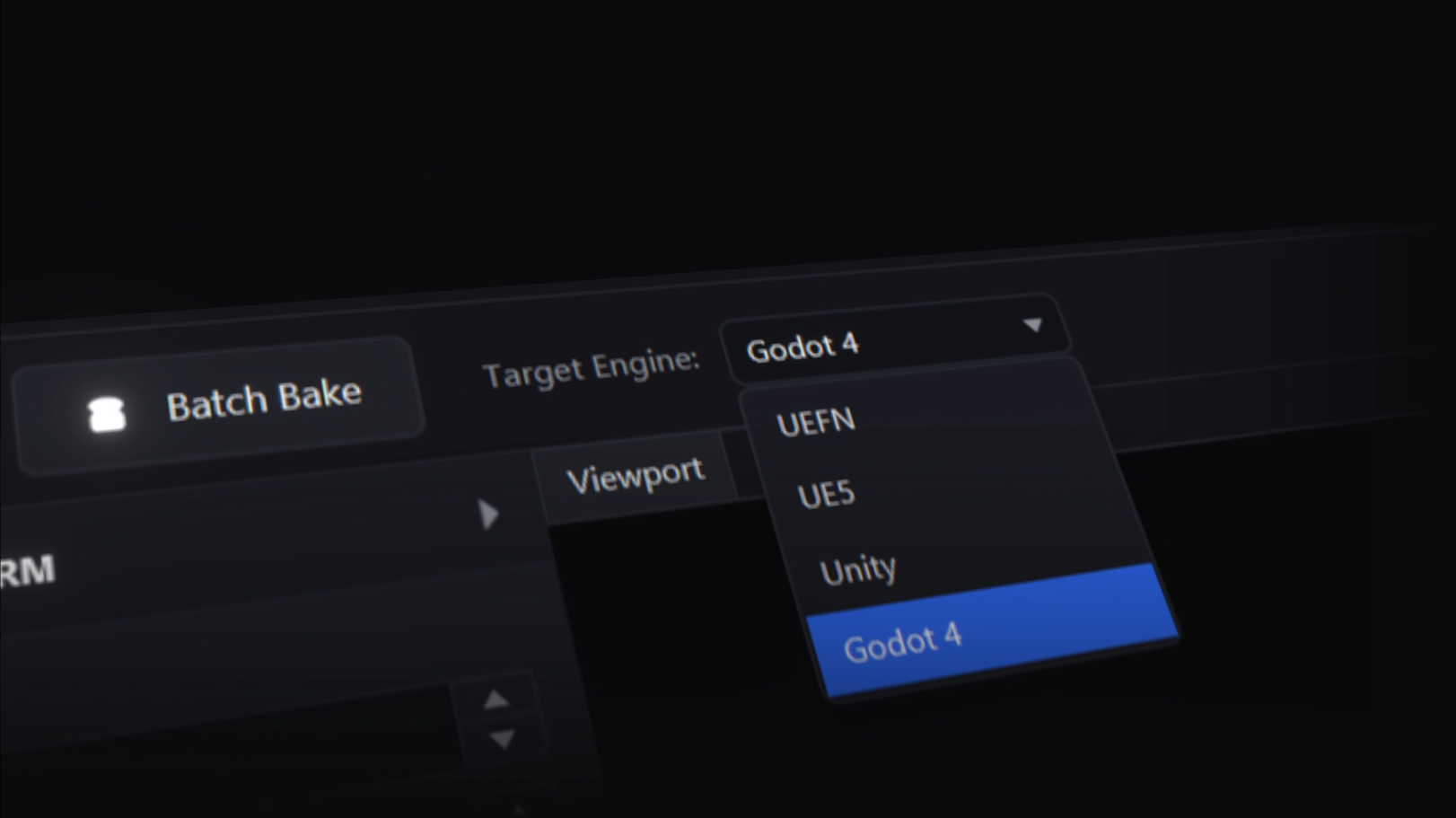
Choose your target and AutoVAT prepares textures, materials, structure, and settings for that engine. Make pre-transform adjustments and preview the result in engine-relative coordinates before sending the setup to UEFN, UE5, Unity, or Godot.

Generate Verse starter code for UEFN.
AutoVAT can create a Verse template file with VAT animation names, frame ranges, mesh references, material references, and helper functions you can adapt for gameplay logic. You do not have to manually hunt down timing values or write the basic playback helpers from scratch.

More than a VAT generator.
Standard VAT generator
VAT files with manual material, playback, and engine setup.
- Export VAT textures
- Export mesh and frame data
- Set up playback data manually
- Set up materials manually
- Import assets manually
- Bake assets individually
- Cross-engine support
AutoVAT
VAT files with bulk baking, automatic materials, and direct-to-engine export.
- Bulk-bake assets
- Generate VAT textures
- Export mesh and frame data
- Create materials automatically
- Export assets straight to engine
- Create Verse template data and playback helpers
- Cross-engine support
Download AutoVAT for Windows 10/11
Verified accounts can download AutoVAT and try 4 successful single bakes before purchase. Paid users unlock unlimited single and bulk baking.

One tool. The whole pipeline.
Get bulk baking, automatic materials, engine-ready exports, and the UEFN Verse template generator in one license. Pay once and use your downloaded AutoVAT copy for as long as you want, with one year of free updates included. When that year ends, access to newer updates may require renewed eligibility.
$49.99
One-time purchase
- Unlimited VAT generation and bulk baking
- Automatic material setup
- UEFN, Unity, UE5, & Godot support
- Engine-ready exports
- Verse template generator
- Scale, rotation, and pivot correction tools
- One year of free updates
- Keep using your downloaded copy
- Verified accounts can try 4 single bakes first
Frequently asked questions
What does AutoVAT do?
AutoVAT handles the repetitive work across the vertex animation texture pipeline. It can bulk-bake your meshes and animations, create and connect the required material instances, and prepare the finished assets for your chosen engine. It also acts as a lightweight content manager, letting you reopen and reimport previously baked content across supported engines without rebaking or rebuilding the same setup work.
Which engines does AutoVAT support?
AutoVAT supports Unity, Unreal Engine 5, UEFN, and Godot, with exports structured and configured for the engine you select. Each supported engine has an automated import path so AutoVAT can prepare the project assets, materials, and settings instead of leaving you with files to wire up manually.
Which operating systems does AutoVAT support?
AutoVAT currently supports Windows 10 and Windows 11.
What files can I import?
AutoVAT imports FBX and glTF/GLB files with polygon meshes, UVs, material slots, skeletal animation, and rigid node or object transform animation. It also imports Alembic (.abc) geometry-cache files for vertex-level animation. Morph targets and blendshapes are not a separate import path right now; export them as Alembic when you need baked vertex deformation.
What mesh or vertex limits should I expect?
VAT output is limited by the texture dimensions accepted by the target engine. AutoVAT supports up to 4096 vertices or packed animation frames for UEFN, and up to 8192 for UE5, Unity, and Godot exports. In practice, the vertex count becomes the VAT texture width and the packed frame count becomes the VAT texture height.
If a bake is over the limit, reduce the vertex count, reduce the frame range or FPS, split the mesh into smaller assets, or simplify the animation. Morph targets and blendshapes are not imported as separate channels right now; export those effects as Alembic when you need baked vertex deformation.
Does AutoVAT require internet to use?
Yes. AutoVAT uses internet access for sign-in, license checks, trial bake checks, downloads, updates, checkout, and support tickets. Baking and exporting project files happens locally, but trial and licensed use may require AutoVAT to verify access online.
Where do I download AutoVAT?
Create an account, verify your email, and log in to download the current desktop package. Verified unpaid accounts can try 4 successful single bakes before purchase.
Can I purchase AutoVAT here or through Fab?
Yes. Purchases made on this site use Stripe and activate your license automatically. If you purchase through Fab, submit the order ID from your receipt so an AutoVAT admin can verify it manually and attach the license to your account.
Is AutoVAT a subscription, and what happens after one year?
No. AutoVAT is a one-time $49.99 purchase that includes one year of free updates. When that year ends, you can keep using your downloaded AutoVAT copy for as long as you want, while access to newer updates may require renewed eligibility.
What does the Verse generator do?
For UEFN projects, AutoVAT can generate a Verse template file with your VAT animation names, frame ranges, and helper functions you can adapt for gameplay logic, so you do not have to look up the values or write the basic playback helpers from scratch.